
A separate home for your records
Open the official CKY Paper Trading portal ↗, or choose CKY → Web Portal in the extension. It is separate from this public documentation site. Use its existing Discord login with the same account you use in the extension; do not expect the website’s public pages to sign you in.
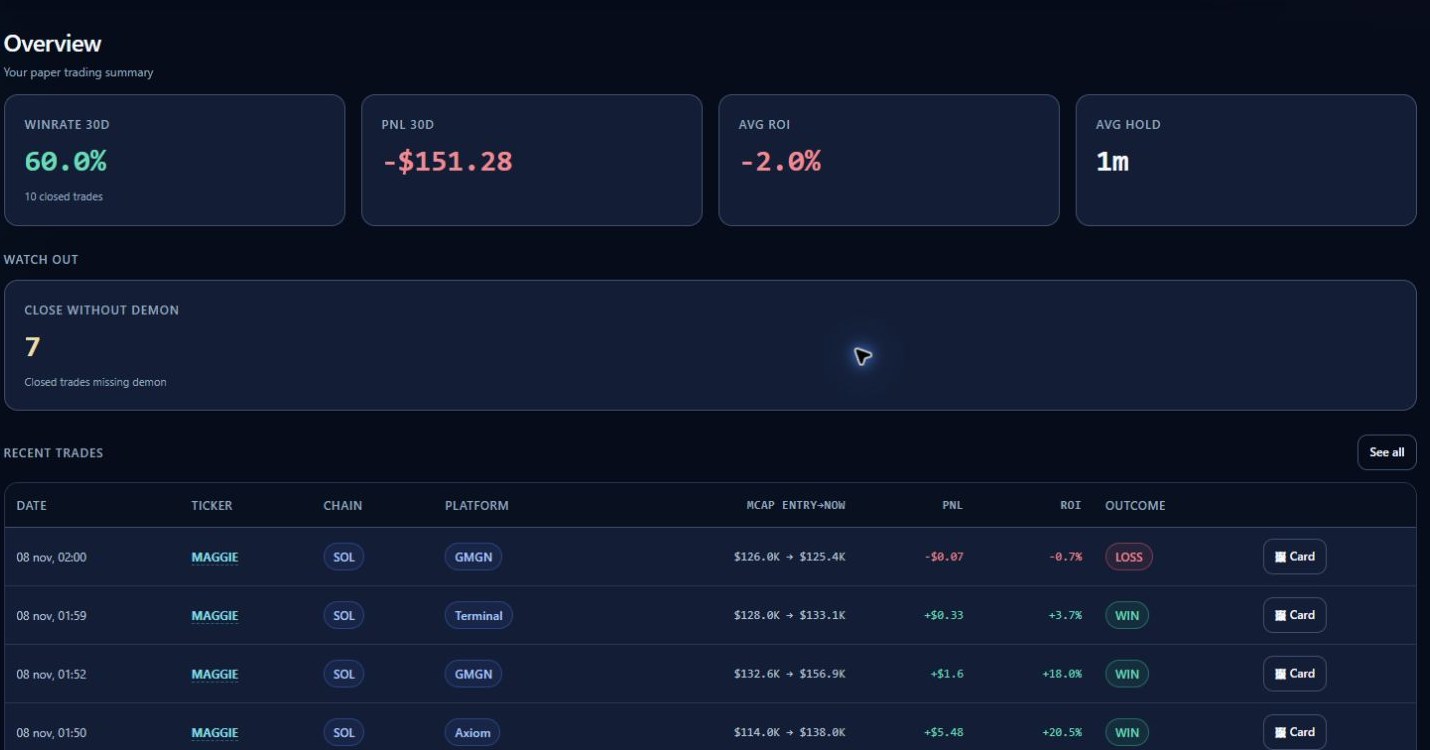
Navigate the workspace
Overview summarises recorded performance. Trades contains operation records; Wallet shows paper balance history; Demons supports behavioural review. Rank, Challenge and learning sections are subject to available account content. An empty Challenge view can mean no challenge is available, rather than a failed trade sync.
Read the numbers in context
Match the token, chain, date and trading session before comparing values. Realised results belong to completed sells; an open position still has exposure. A wallet balance is uncommitted virtual capital, not the same number as total position value. Check the reporting period on aggregate statistics.
Share responsibly
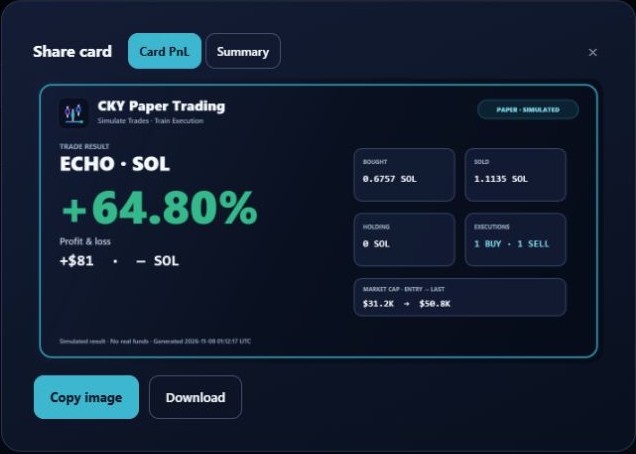
Generate a PNL card from the relevant trade. Keep PAPER / SIMULATED visible and review the image before sharing. A card is a record of a simulation, not proof of a real execution or promised return.
The documentation screenshot below shows an actual generated card using explicitly synthetic ECHO fixture data, rather than a member’s identity or performance.
When something does not match
Confirm the same Discord account and chain, refresh the view and locate the exact session in Trades. Do not reset the wallet or delete local storage to force a match. Use the support checklist if the difference persists.