Before you begin
You need desktop Chrome, an authorised CKY package and a Discord account eligible for the existing product. Start with Access options if you do not already have the package. Visiting CKY Tools does not grant extension access. This website does not host a ZIP or an unverified Web Store listing.
Current stable: 71.0.0. Supported minimum: 71.0.0. Release and compatibility notes →
Install the package
- Obtain
CKY-Paper-Trading-71.0.0.zipthrough your existing authorised distribution route. - Extract it into a permanent folder. Find
manifest.jsoninside that folder. - Type
chrome://extensionsinto Chrome’s address bar. - Enable Developer mode, choose Load unpacked and select the folder containing the manifest.
- Open or refresh Axiom, Terminal or GMGN. Look for the blue CKY button in the header.
Keep the extracted folder: Chrome loads the unpacked files from that location.
Sign in with Discord
- Open CKY and use the displayed Discord login action.
- Complete the existing Discord authorisation flow.
- Check the account tier shown by CKY. Free and Elite access are resolved by the existing backend.
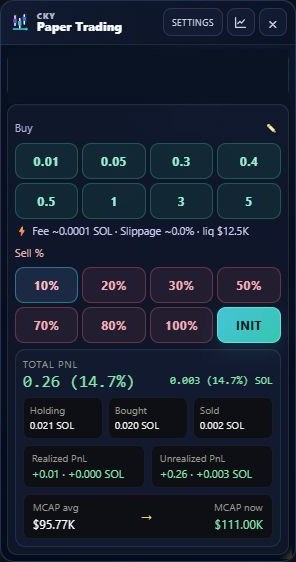
- Open a token page, then CKY → Paper Trading.
Never share an OAuth token, seed phrase or private key. Signing in to the web portal and installing the extension are separate steps; neither changes your product entitlement.
Understand the permissions
- Storage
- Saves extension settings and local trade state.
- Tabs, windows and activeTab
- Supports platform navigation, the existing login flow and extension windows.
- Scripting
- Loads the platform integration required to read page context and display CKY controls.
- Alarms
- Supports scheduled background maintenance.
- Site access
- The member package declares supported Axiom, Padre/Terminal and GMGN hosts, CKY’s panel backend, Google Apps Script hosts and market-data services DexScreener and RugCheck. Review the permissions in your installed package rather than granting access to an unrelated copy.
Update without leaving old pages running
- Extract the new authorised ZIP and replace the files in the folder Chrome already loads. Avoid an extra nested folder.
- Open
chrome://extensionsand press Reload on CKY. - Refresh every open Axiom, Terminal and GMGN tab. Reloading the extension alone leaves existing pages with older code.
- Confirm the current supported release on the extension’s details page, then check your paper balance and recorded positions.
Do not uninstall or clear extension storage as a routine update step. If an update screen requests a newer minimum version, install the authorised current package.
If Chrome or Defender warns
Do not disable protection or allow a file solely because a guide says so. Record the exact warning and threat name, the package version and the download source. A previous member’s warning stopped with lighter code obfuscation, but that is not a universal antivirus certification. Follow the troubleshooting checklist.