
A review tool, not a trade signal
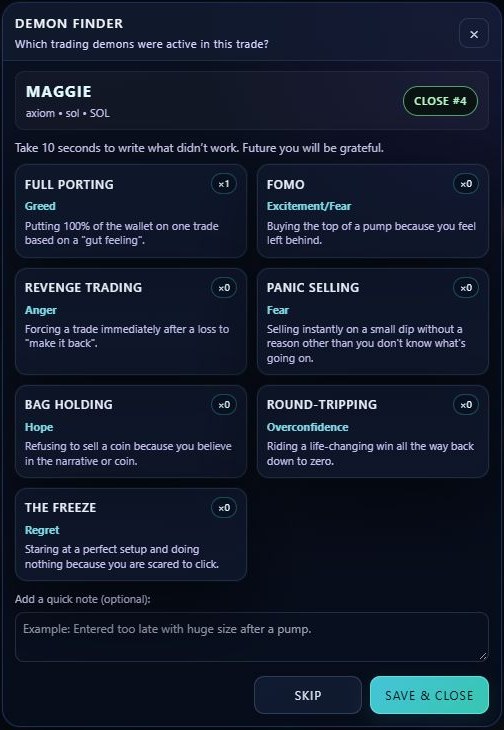
Demon Finder records the behaviours you noticed in a completed trade. It does not diagnose you, predict price, change an exit or automatically detect your emotions. You choose the labels yourself.
Open it after closing
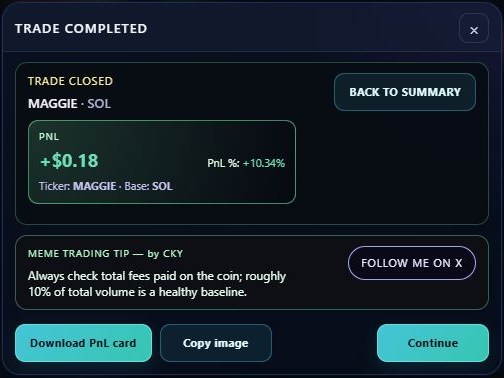
- Close the paper position with SELL 100%.
- Review the summary and advance to the completion/PNL-card screen.
- Press Continue to open Demon Finder.
- Select the behaviours that actually applied. Click again to deselect.
- Add an optional short note, then choose Save & Close.
Skip closes without saving a new review. The X closes the modal. There is no separate automatic-detection switch to enable: this is the existing post-trade review flow.
The seven behaviours
- FOMO
- Entering because you feel left behind by a move.
- Revenge Trading
- Forcing another trade to make back a loss.
- Panic Selling
- Exiting impulsively without a planned reason.
- Full Porting
- Putting the entire practice wallet into a single idea.
- Bag Holding
- Refusing to exit because you believe in the story.
- Round-Tripping
- Giving back an unrealised gain without following your exit plan.
- The Freeze
- Recognising an intended action but not taking it out of fear.
Configure your review
Multiple cards can be selected for one trade. Use the optional note to describe the decision, not just the outcome: “Moved my exit after the first dip” is more useful than “Bad coin”. The counters reflect recorded selections. They are not a skill score.
Review the Demons section in Dashboard to spot repeated selections. Do not publish personal notes or identifying information in a shared screenshot.
Make the next session measurable
Pick one recurring behaviour and define an observable rule before the next paper session. Review whether you followed that rule independently of whether the trade won. A profitable outcome can still include poor execution.