
A deliberate place to practise
Trade with simulated capital inside the platforms you already use. CKY adds its own panel for entries, exits and review; it does not turn the platform’s native trading buttons into paper buttons. Start with the CKY menu, then choose Paper Trading.
New here? Explore your access options before installing. Already set up? Go straight to the guides or read the release notes.
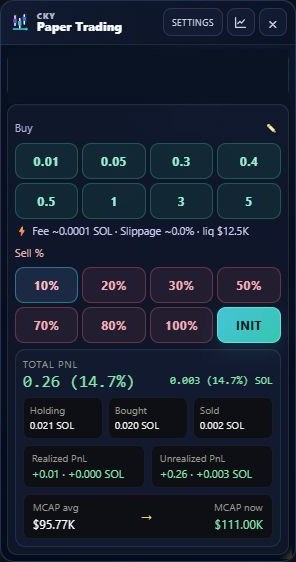
Your practice loop
- Install and sign in with the official package and Discord.
- Open a supported token page and check your virtual balance.
- Practise a BUY and an exit using the CKY panel.
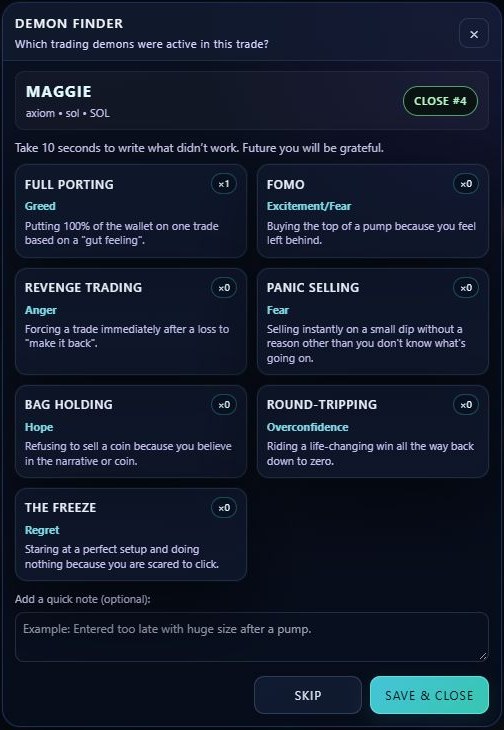
- Review the summary, PNL card and Demon Finder.
- Revisit your recorded trades in the Dashboard or web portal.
Choose the right starting point
What the simulation means
Balances, positions and PNL are PAPER / SIMULATED. A paper BUY does not submit an on-chain order. The displayed market context is read from supported pages and data sources; availability depends on the platform and token.
Fees, slippage and liquidity are modelled context, not a promise of executable fills. Simulated performance does not establish real trading performance.
Ghost Candles
Ghost Candles is the visual identity of CKY Paper Trading: the official candle logo, dark surfaces and blue/cyan accents. It is not an additional candle indicator, predictive signal or order type.